

Rethinking Database Migrations


Database migrations are brittle and they break when you're most vulnerable; when you're deploying to production. Prisma 8 migrations make them explicit, verifiable and safe to retry. Here's how.
The problem with migrations today
If you've written migrations before, you've probably seen something like this:
migrations/
├── 20240301_120000_create_users.sql
├── 20240301_120100_create_posts.sql
├── 20240415_093000_add_published_at_to_posts.sql
├── 20240602_154500_create_comments.sql
├── 20240814_110000_add_index_on_user_email.sql
└── 20241209_082200_drop_legacy_sessions.sql
Each migration is a simple text file containing SQL statements, and the migration runner's job is to execute them, in order, only once.
But if you've spent any time working with migrations, chances are you've found yourself in situations like this:
- Local drift: You write a migration by running it against your local DB, checking the result, and iterating. By the time you're done, your local DB has a slightly different schema than production, so the migration fails when it's applied in CI.
- Ordering conflicts: You add a migration on a feature branch, but someone else merges their migration to
mainbefore you. CI fails because the timestamps are out of order. - Partial failure: A migration you expected to work fails partway through. Production is now down because the DB schema doesn't match the application's expectations, and you can't rerun the migration.
These common problems occur because:
- The migration runner knows nothing about the content of the migration; if something goes wrong, it's up to you to fix it.
- The migration makes assumptions about the state of the database before it's executed; if that doesn't match reality, it's up to you to fix it.
- The migration implies assumptions about the state the database will be in after it's executed; if it turns out to be wrong, it's your fault for writing an incorrect migration.
You'll notice a common thread: this typical migration model puts the responsibility on the developer to ensure that the implicit assumptions baked into the migrations are correct, and when they're wrong, the system won't help you at all.
This matters more now than ever. As AI tools increasingly generate and run migrations on your behalf, the system handling those migrations needs stronger guardrails than a careful human would. It needs to verify its own assumptions, recover from failures, and never leave a database in an unknown state.
With Prisma 8, we set out to build a migration system that handles all of these cases, including automatically resolving branch conflicts.
Prisma 8 migrations
In Prisma 8, a migration is explicit about what it needs to do and how it does it. Every migration knows:
- The expected DB schema before it's executed.
- The DB schema after it's executed.
- The sequence of operations which will take a DB from before to after.
It looks like this:
migrations/
  20240301_create_users/ # This name is informational, not used for ordering
    migration.json
    ops.json
  20240301_create_posts/
    migration.json
    ops.json
  # ...
migration.json
migration.json contains metadata about the migration: its identity, and what we can expect the database to look like before and after executing this migration.
{
  "from": "ce46fb3", // This hash tells us the schema before
  "to": "ab864ff", // and this tells us the schema after (we'll show you how in a moment)
  "description": "Create users table" // This is informative
}
How from and to work
In Prisma 8, your schema.prisma is converted into a JSON file which lists every table, column and relation that's expected to be present in your database, similar to a package-lock.json. Hashing that file gives us a simple identifier that describes a specific database state, like a git commit hash.
Migrations promise to transition your database from one schema to another, which is recorded as a from hash and a to hash in the JSON example above. This works the same way as applying a git commit to your filesystem: it moves your filesystem from one state to the next.
ops.json
ops.json contains the sequence of operations which promise to change the database from its origin schema to its destination schema.
[
  {
    "id": "table.user",
    "label": "Create table user",
    "operationClass": "additive",
    "target": { "id": "postgres" },
    "precheck": [
      { "description": "Table user does not exist", "sql": "SELECT ..." }
    ],
    "execute": [
      { "description": "Create table user", "sql": "CREATE TABLE \\\"user\\\" (...)" }
    ],
    "postcheck": [
      { "description": "Table user exists", "sql": "SELECT ..." }
    ]
  }
]
Each operation has three parts:
- The execute statement: the SQL statement which creates the table, adds the column, or otherwise makes the change we're interested in.
- The precheck: a condition which indicates whether the database is in the state we expect. If it isn't, abort.
- The postcheck: a condition which indicates whether the
executestatement succeeded. If this is true before we execute, we can skip the operation as the database is already in the expected state.
Migrations are a graph
Because each migration records the schema it starts from and the schema it produces, migrations don't need to be ordered alphabetically. They form a graph of state transitions linked by their from and to hashes, and the system can figure out which path to follow.
Here's what that looks like in practice. Two developers have branched from the same schema and each added a migration:
* ∅          (empty database)
|
* abc123     createTable(user)      ◄── YOU ARE HERE
|\
| * def456   addColumn(user.email)  (other branch)
|
* ghi789     addColumn(user.name)   ◄── TARGET
This means the ordering-conflict scenario from earlier simply doesn't apply. Timestamps don't determine execution order, the graph does.
This idea isn't entirely new, tools like Sqitch and Atlas have explored dependency-based and state-based approaches to migrations. Prisma 8 builds on these ideas by deriving the graph automatically from schema state hashes and combining state verification with idempotent operations, so migrations are safe to retry without manual intervention.
Migrations verify their assumptions
Remember the local-drift scenario? You iterate on a migration locally, your DB ends up in a slightly different state, and the migration fails in CI. With Prisma 8, the runner checks the database's current schema hash against the migration's from hash before doing anything. If they don't match, the migration stops immediately with a clear error. Not halfway through, leaving the database in an unknown state.
What if a migration does fail partway through? Because every operation carries a precheck and a postcheck, the migration is safe to retry. Operations whose postchecks already pass are skipped; operations whose prechecks fail produce a clear error. The database never ends up in a state the system can't reason about.
Resolving conflicts between branches
This is where the graph structure really pays off. Branch conflicts are the most common and most painful migration problem, and they're the hardest to fix by hand.
In Prisma 8, migrations are cheap and planned automatically. Consider this situation:
- Bob and Alice both branch off
mainat schema stateC1. - Bob adds an
emailcolumn tousers, reaching stateC2on his branch. - Alice adds a
namecolumn, reachesC3, and merges tomainfirst.
Bob now needs to catch up. He updates his schema to C4, incorporating both his email column and Alice's name column, and Prisma 8 generates two migrations automatically:
- C2 -> C4: applies to any database on Bob's branch state (his local machine, a dev environment, a staging instance seeded from his branch).
- C3 -> C4: applies to any database already on
main(production, CI, teammates who pulled Alice's work).
Bob doesn't have to rename files, manually resolve ordering conflicts, or figure out what SQL to write. He declares the target schema; the system figures out the paths to get there.
Those of you familiar with Git will recognize these as the same techniques we use when working with branches: merging and rebasing. You can also track the position of known environments as refs in the system, so you can be explicit about where production is versus staging.
What else does this enable?
Because the system knows the schema state at every point and the operations that connect them, you get a few more things for free. As your project grows, the list of migrations in your repo keeps growing. In Prisma 8, you can:
- squash a sequence of migrations into a single migration.
- baseline your migration history by replacing it with one migration that constructs the current schema from scratch.
- split a large migration into smaller, more reviewable steps.
What's next
Prisma 8 aims to make your database operations explicit, simple and reliable. We're still working on this migration system but you can check out the repo and try it for yourself if you'd like to get a feel for it.
For a closer look, read TypeScript Migrations in Prisma 8 and Data Migrations in Prisma 8.
If you'd like to receive updates as we make changes, star and watch the repo.
If you want to build alongside us, join #prisma-next on Discord.
About the author
Will leads the engineering team behind Prisma's open source ORM and guides its technical direction, with more than 15 years in software and an open source trail stretching back to 2008. He has appeared on podcasts including PodRocket to discuss ORM architecture and direction, and writes about ORM design, engineering leadership, and shipping software other engineers depend on.
Keep reading
Prisma 7 AMA: Clearing Up the Why Behind the Changes
Prisma 7 introduces major architectural changes. We answer community AMA questions on performance, database support, the new client generator, and what’s next.

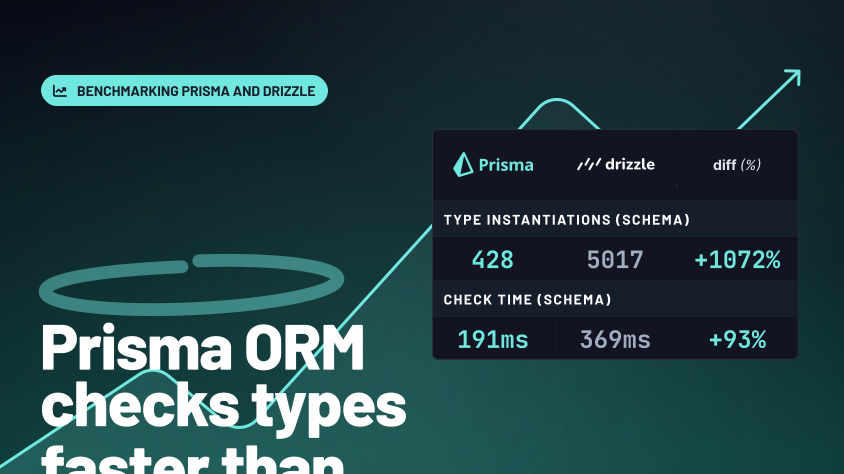
Why Prisma ORM Checks Types Faster Than Drizzle
Discover why Prisma ORM outperforms Drizzle ORM in TypeScript type checking. Our benchmarks show Prisma checks queries 72% faster on average, thanks to code generation that keeps editors snappy and CI runs smooth.

Build your next app with Prisma
Start free. Scale when you’re ready.