
Prisma Compute is now generally available
You can now run production apps on Prisma Compute. Pricing is published, the Free plan covers a million requests a month, and every branch gets its own environment. This release also introduces Deploy Buttons, which let anyone launch your app from a README in one click, and makes Prisma 8 available as prisma@latest.
Prisma Compute is ready for production
Prisma Compute runs your TypeScript app next to your Prisma Postgres database and scales it to zero when idle, so you only pay for traffic you serve. Pricing applies from today:
- The Free plan includes 1 million requests, 360 GB-hours of memory, 4 vCPU-hours, and 10 GB of bandwidth a month and is never billed. If a workspace passes a limit, its apps pause until the next month or an upgrade.
- Paid plans include 5, 20, or 100 million requests a month, and usage beyond that costs
$1per million requests,$0.006per GB-hour,$0.064per vCPU-hour, and$0.025per GB sent.
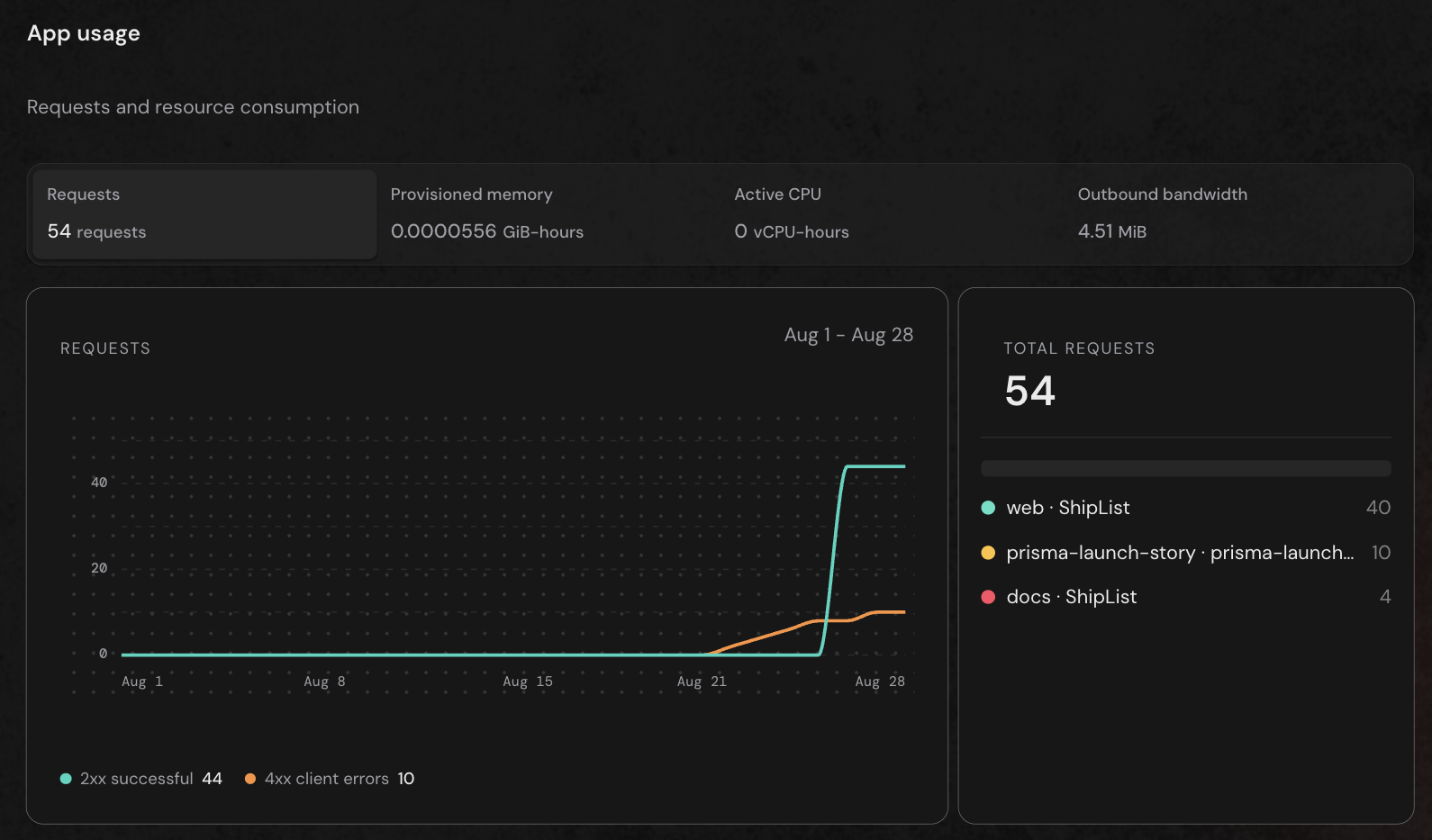
The Console Usage page shows where the money goes, with requests, memory, CPU, and bandwidth broken down by day, by app, and by response status.
Anyone can deploy your app in one click
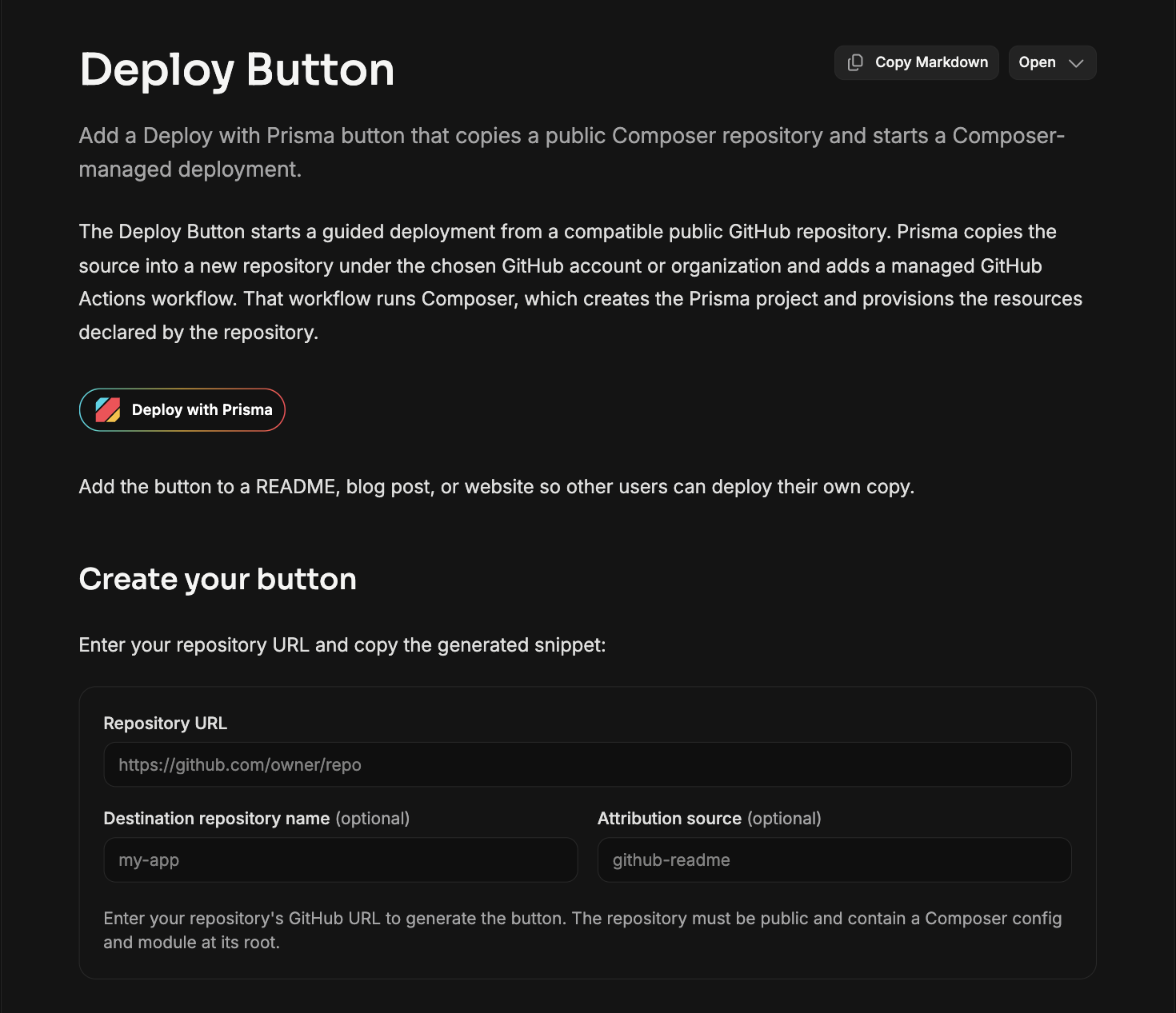
Add a Deploy Button to your README, and whoever clicks it gets a running copy of your app, with its own database, in their own workspace. The Deploy Button page generates the badge for you and lists the three things your repository needs: a Composer config, a build script, and a lockfile.
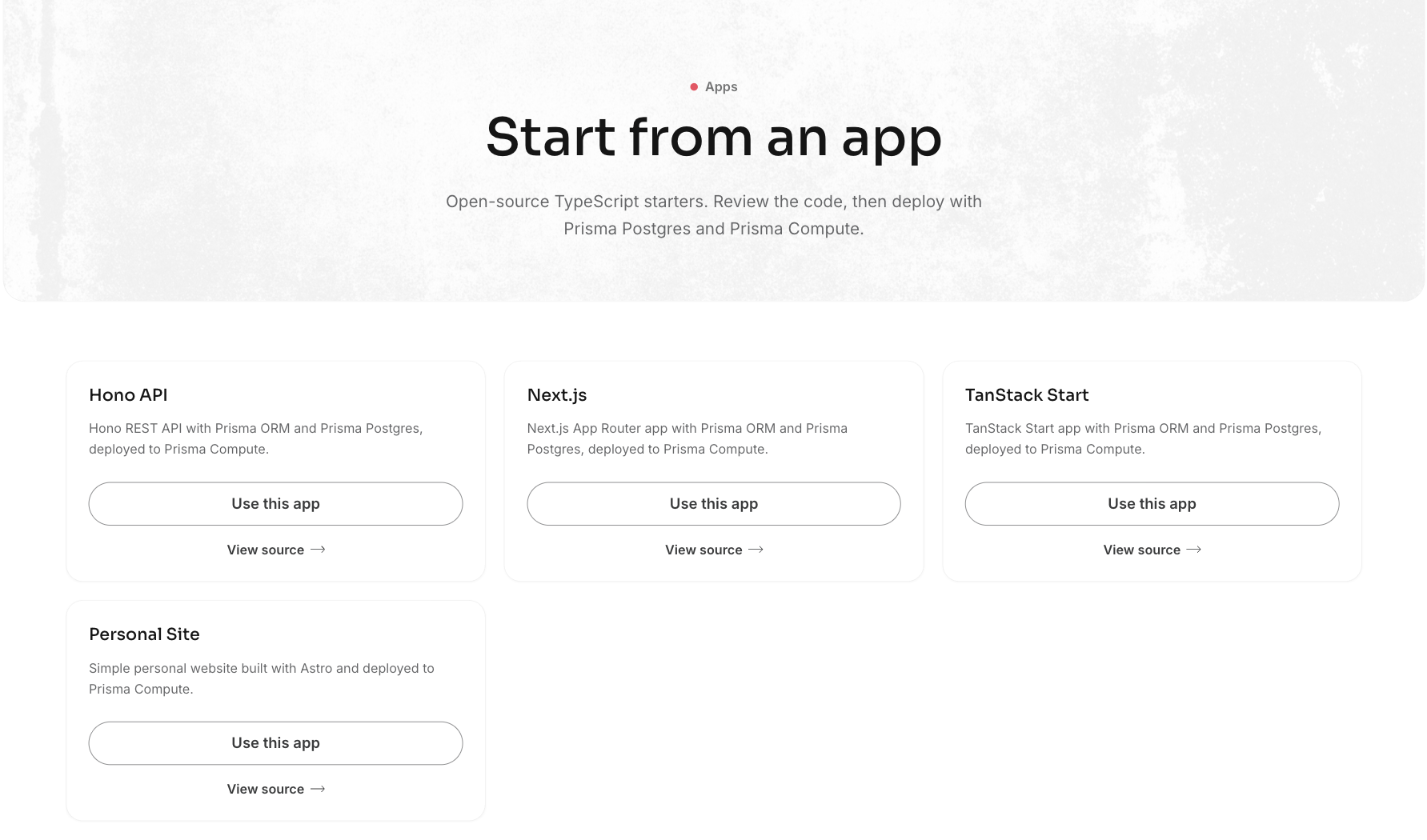
To start from a ready-made app, browse the Prisma apps directory, which lists open-source starters that deploy the same way. The same starters are the first option when you create a project in the Console.
Prisma 8 is now prisma@latest
npm install prisma@latest installs Prisma 8, and Prisma 7 stays fully supported as prisma@prev (docs). You do not have to upgrade in one go: the side-by-side upgrade guide runs Prisma 7 and Prisma 8 against the same database so you can move one module at a time.
What you need to do
- On Prisma 7: there is nothing to change. If you install with a
latesttag somewhere, pinprisma@prevthere. - On an earlier Prisma 8 release candidate: install
prisma@latest, replaceprisma-nextwithprisma, move your config toprisma.config.ts, rename.take()/.skip()to.limit()/.offset(), and renamedb.sql.rawtodb.raw.sql. - CI that runs
db verify,db sign, ormigration check: findings now exit4instead of1, so update the check your pipeline relies on. - Calling
/v1/appsin the REST API: switch to/v1/services, which has the same routes and behavior withserviceIdin place ofappId. See the REST API reference. - Compute projects that build on push: move to deploys from your own GitHub Actions. Affected projects show a notice in the Console with a one-click switch that opens a setup pull request, which you need to merge before the cutoff in the notice.
Breaking changes
These apply to Prisma 8 release candidates.
.take(n)and.skip(n)are now.limit(n)and.offset(n)everywhere, including relations, groups, and MongoDB, with the same behavior. (#30112)- The
prisma-nextCLI is no longer published, so useprisma@latestandprisma.config.tsinstead. (#30005, #30058) - Raw SQL moves from
db.sql.rawtodb.raw.sql(reference). (#30045) db verify,db sign, andmigration checkexit4on findings and2when they cannot run. (#29984)
Deprecations
- REST API: the
/v1/appsroutes are deprecated in favor of/v1/services, and both work for now. See the reference. - Prisma Compute: platform builds triggered by a GitHub push are deprecated in favor of deploy on push from GitHub Actions.
Prisma Compute
Every branch now gets its own preview environment with no extra setup. Deploys run in your repository's GitHub Actions through prisma/cloud-deploy-action, where the default branch is production, any other branch is a preview, and deleting the branch deletes the preview. There are no secrets to store, because the workflow authenticates with GitHub's OIDC token. The deploy on push guide walks through the setup.
From the Console, the whole setup is one pull request. You pick a repository, merge the PR the Console opens, and push. Before opening it, the Console checks that the app is on Prisma 8 and within the supported framework boundary, and that the GitHub App has the permissions it needs.
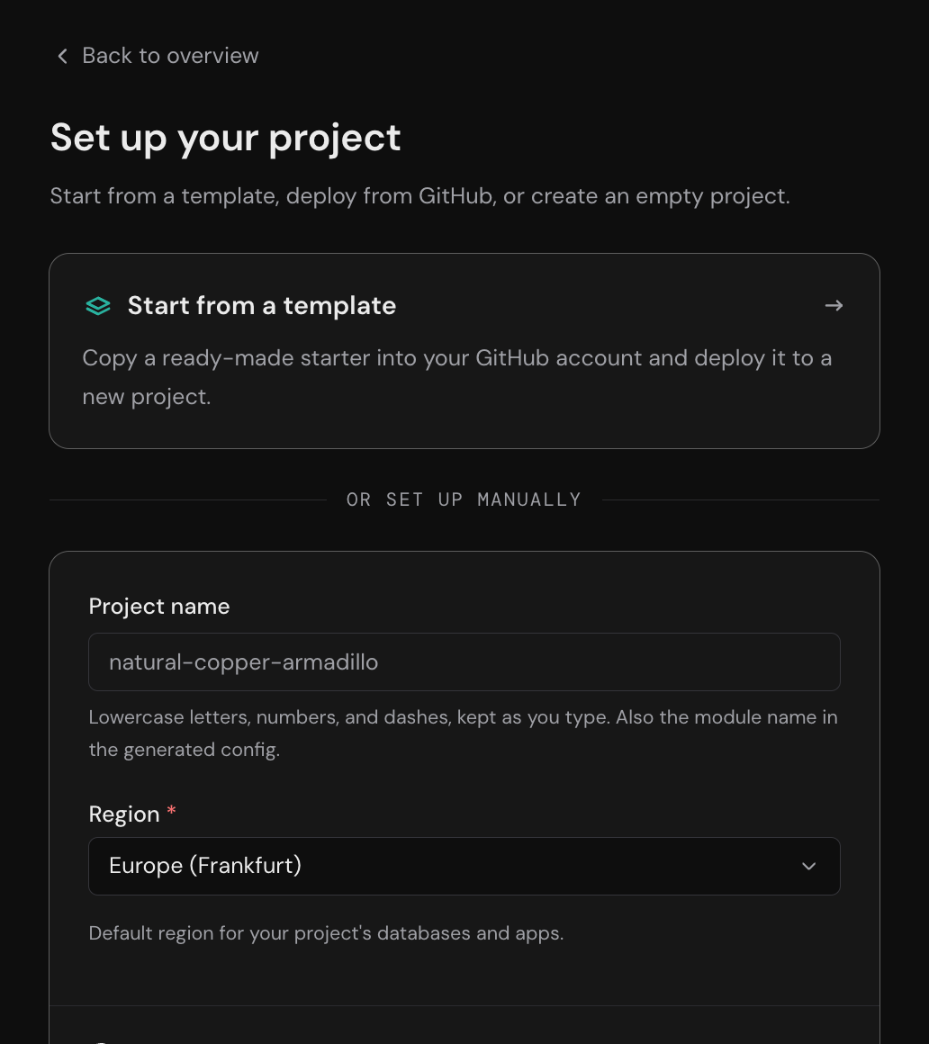
The Console has three smaller improvements as well:
- Creating a project is a single screen where you choose a name, a region, and then a starter, a repository, or an empty project.
- Every build has a page naming the deployment and database it touched, and builds that never report back are marked as such after 30 minutes instead of staying pending forever.
- If your app is unreachable after a deploy, the boot log now tells you why in the two common cases, which are binding to
localhostand listening on the wrong port.
Prisma Composer
With Prisma Composer, in Early Access, you run your entire app, including its infrastructure, on your laptop, then deploy the same thing to Prisma with one command. Compute services, Prisma Postgres databases, Object Store buckets, scheduled jobs, and secrets are all part of one TypeScript app definition. npx prisma@latest dev module.ts brings all of it up locally against stand-in databases and buckets, and npx prisma@latest deploy module.ts provisions the real ones and wires the authenticated connections between them. Running deploy again applies only the diff. Composer is also what the Deploy Button and the apps directory run on.
import nextjs from "@prisma/composer/nextjs";
import { rpc } from "@prisma/composer/service-rpc";
import { compute } from "@prisma/composer-prisma-cloud";
import { catalogContract } from "../catalog/contract.ts";

export default compute({
  name: "storefront",
  deps: { catalog: rpc(catalogContract) },
  build: nextjs({ module: import.meta.url, appDir: ".." }),
});
The core concepts page is the place to start, and the porting guide brings an existing Node.js, Bun, or Next.js app over with a prompt you can hand to your coding agent.
Prisma Postgres
The Free plan now includes 200,000 operations a month, double the previous limit. The pricing page lists every plan.
REST API
The Management API is now called the REST API, and old links redirect. New this release:
- Manage service tokens without the Console by calling create, list, and revoke at
/v1/workspaces/{workspaceId}/service-tokens. - Run CI without long-lived secrets by calling
POST /v1/auth/github-actions/token, which swaps a GitHub Actions OIDC token for a 30-minute workspace token. See authentication. - Bring your own deploy tool and report its builds with
POST /v1/buildsandPATCH /v1/builds/{buildId}, so they appear in the Console like any other. - Page through logs with
GET /v1/deployments/{deploymentId}/logs, which returns newline-delimited JSON with a cursor for the next page. - Check a workspace's plan from code with
GET /v1/workspaces/{workspaceId}/subscription, which returns the plan, whether usage is blocked, and the upgrade URL. - Every
/v1/appsroute is also available at/v1/services, matching what the CLI calls the resource.
Prisma Console and MCP server
The Console, docs, blog, and site now carry the new Prisma brand. The docs are grouped into Start, Build, Deploy, Manage, and Reference, and every CLI command is documented under /docs/cli.
The Prisma MCP server now signs in from the Claude apps and from strict OAuth clients such as fx.
Fixes
Prisma Compute
- Repositories that use pnpm now deploy, because the generated workflow installs pnpm.
- A failed deploy from the apps directory shows its error instead of spinning forever.
Prisma Postgres
- Backup sizes now show the right unit, so a 23 GiB backup no longer reads
23.14 KiB.
Prisma 8
- Filters like "users followed by people I follow" return the right rows. Nested self-relation filters used to override each other. (#29900)
- Counting or summing across a many-to-many relation works instead of failing on a missing foreign key. (#29888)
.aggregate()and.groupBy()now respectlimit,offset,cursor, anddistinctset earlier in the chain, so affected queries return the correct number. Those clauses were silently dropped before. (#30067, #30092)- Running the same
upserttwice on aByteskey now succeeds instead of failing on the second run. (#29910) - A migration that gives a non-
SERIALcolumn anautoincrement()default now fails when you write it, rather than silently at runtime. (#30040) - Nested relation callbacks in
upsert({ create }),createAll(), andcreateAndCount()are now a type error, because they never ran and writes you expected were being skipped. (#30144) - On MongoDB, the
_idreturned from a write now matches what you read back. (#29879) - Migration errors now name your actual migrations directory. (#30041)
migration graph --dotprints in the terminal again. (#30057)- Windows paths now work in
prisma.config.ts. (#30121) - Error messages now link to the Prisma 8 error reference. (#30126)
Prisma ORM 7
- Migrate now stops you if
shadowDatabaseUrlpoints at your real database, with the new errorP3025. Until now,migrate diff --from-migrationsin that setup wiped your schema and reported nothing. (prisma-engines#5851)
Prisma Studio
- Other websites open in your browser can no longer reach the database connected to Studio. (#29890)
Guides and articles
- Prisma Is Building the Stack for the Next Million Products: the launch post.
- Why Your Agent Reads a Prisma Schema Better Than Your Codebase: the schema as the densest context you can give a coding agent.
- Infraslopture and Other Paradoxes: letting agents change production config without trusting them.
- Deploy the full Prisma stack: empty directory to Composer app with a preview per branch.
- Upgrade from Prisma 7 to Prisma 8: both versions side by side, one module at a time.
Builder's Day
Join us in San Francisco on October 26 for Builder's Day, a one-day conference for people building with AI in production. Expect talks and demos on coding agents, LLM apps, and the infrastructure behind them, followed by ping pong and drinks at SPIN.
Prisma Arcade
Prisma Arcade is a set of six browser games built on Prisma Compute, Prisma Postgres, and Prisma ORM. Whoever tops the Comet Cat leaderboard when the contest closes wins $500 in Prisma credits.

Need help applying these changes in production? Prisma Enterprise Support can help with schema design, performance, security, and compliance.